
Project profitability,
with the clarity
to act early.
BlueMerlin gives you real-time visibility into every project's true cost, margin, and resource utilization, so you can act before problems become losses.
For leaders who manage by numbers, not guesswork.
Project economics are often visible too late.
Lagging financial visibility
Spreadsheet-based reporting shows margin after the fact, when corrective action is already limited. Real margins hide behind delayed timesheets and fuzzy overhead allocation.
Fragmented capacity signals
Your best people are overbooked and your bench is growing, but you only find out when a client escalates or payroll surprises you. Utilization data sits across disconnected tools.
Decisions without full context
Should you take that new project? Hire another senior? Extend the timeline? Without real-time financial and delivery data in one place, every decision is a calculated gamble.
A unified operating layer for
margin-aware delivery.
From project-level profitability to team capacity and forward-looking planning, everything leadership needs to act earlier.
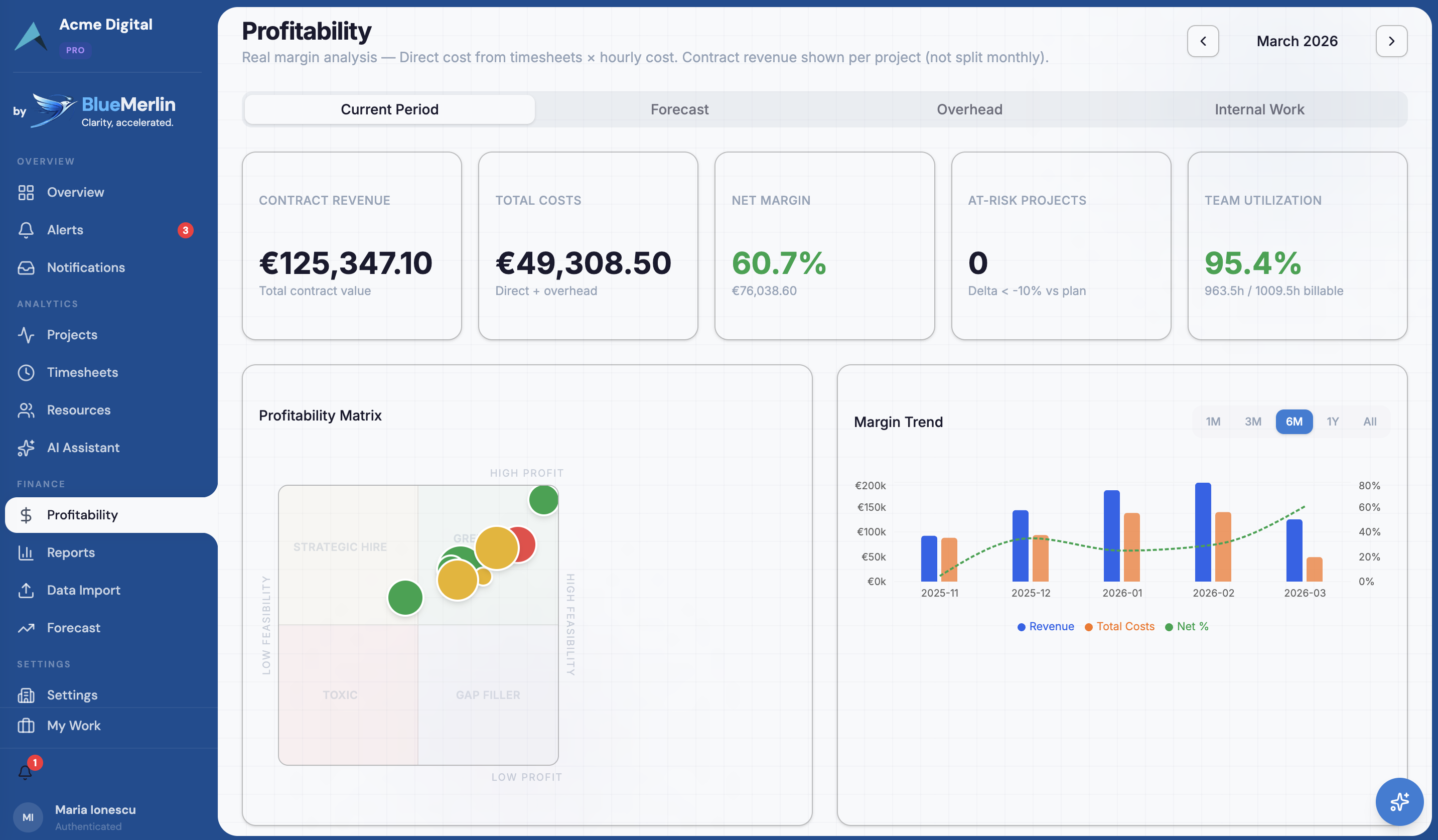
Real-Time Profitability
See gross and net margins per project, per client, per team, updated as timesheets come in. No more waiting for month-end surprises.
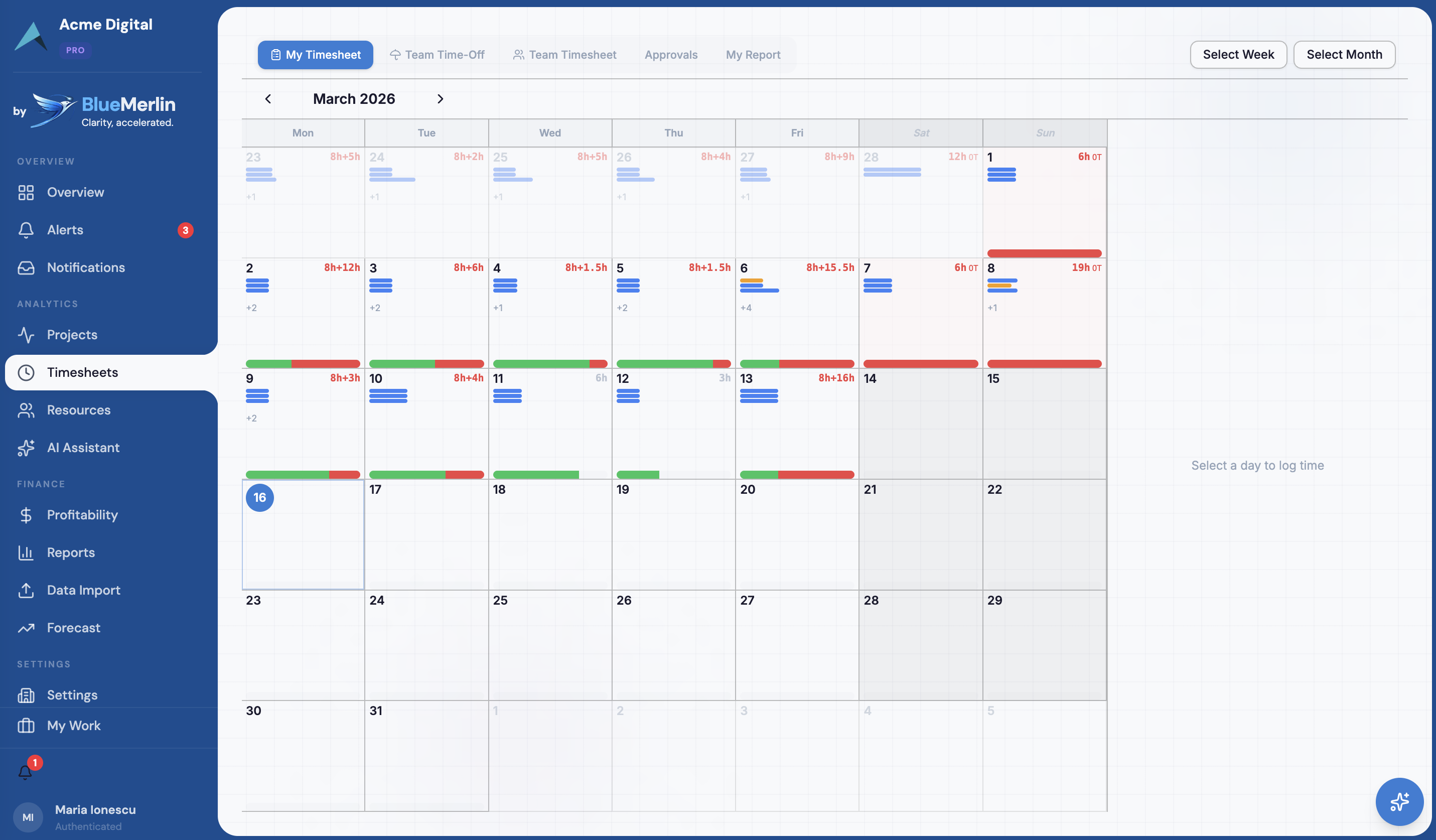
Effortless Timesheets
AI pre-fills entries based on project allocation. Your team validates instead of typing. Import from Jira, Harvest, or Excel in minutes.
Overhead Allocation
Per-category allocation methods: revenue share, hours share, headcount, fixed. Auto-computed salary overhead from non-project staff.
Financial Forecasting
Six-month revenue and margin forecasts. See pipeline impact, retainer MRR, and burn rate projections before they become reality.
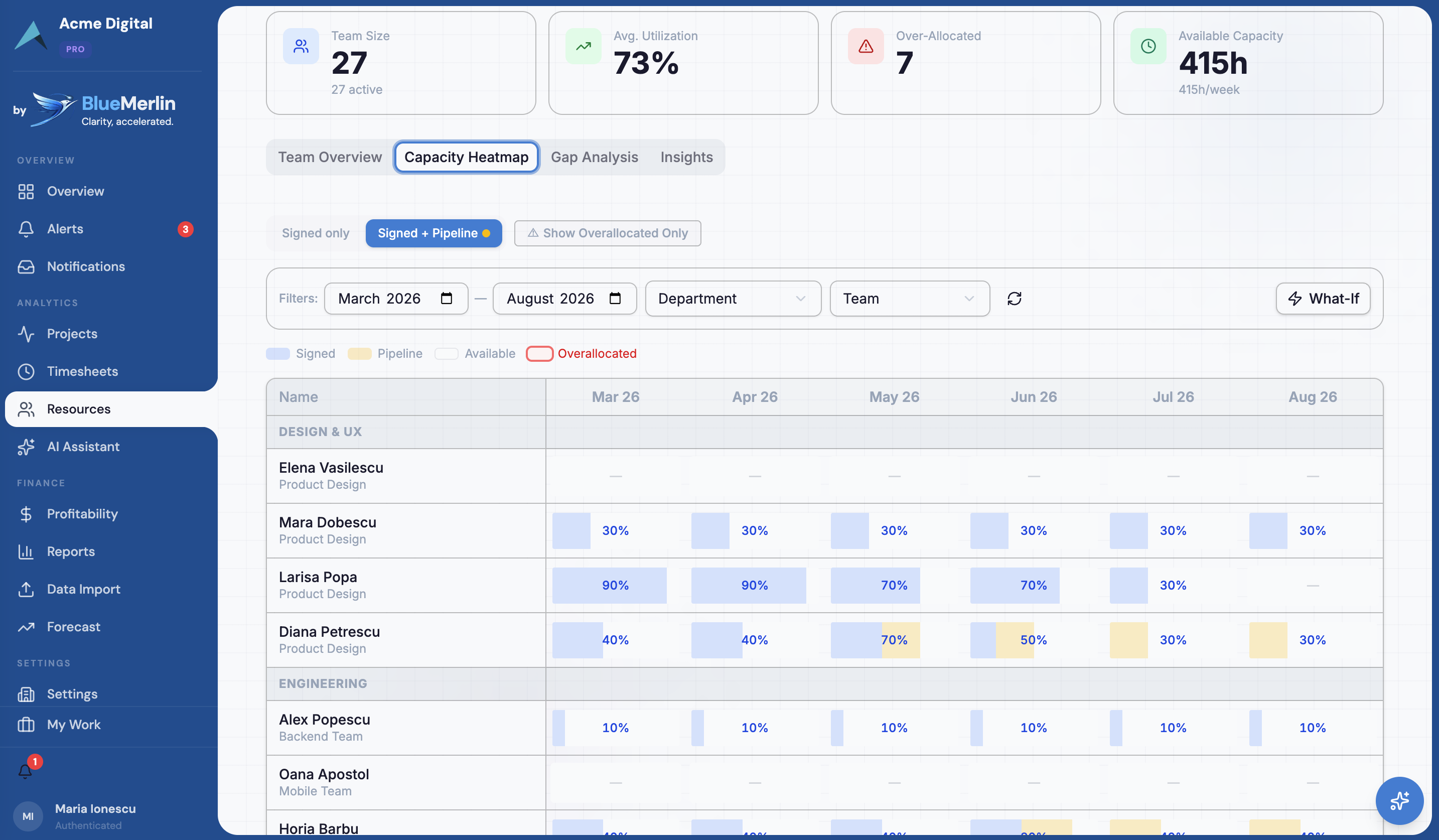
Resource Planning
Capacity heatmaps, gap analysis, and utilization tracking. Know who's available before making staffing decisions.
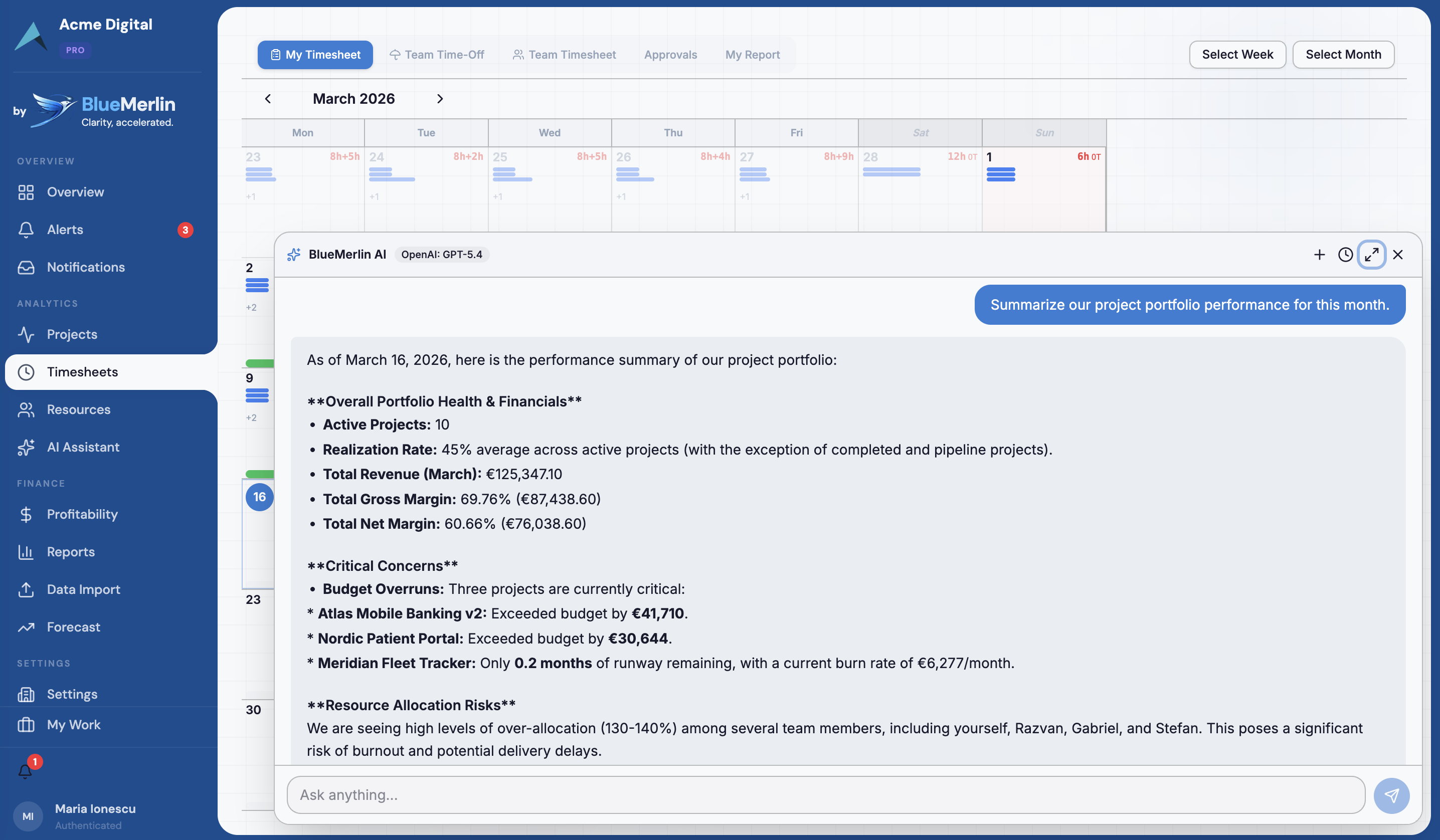
AI Assistant
Ask questions in plain language: "Which projects are at risk this month?" Get answers with real data, powered by Claude, GPT, or your own Ollama models.
From setup to insight in under a day
No months-long implementation. No consultants. Import your data and see results immediately.
Configure
Set up your company, teams, and projects. Define overhead categories and allocation methods. Import your team from Excel or add them manually.
Track
Team logs hours via smart timesheets. AI fills in obvious entries, your team just validates. Import existing data from Jira, Harvest, or any spreadsheet.
Analyze
Profitability engine computes margins in real-time. Dashboard shows project health, alerts flag risks, and reports give you the full picture.
Decide
Use what-if scenarios to test decisions before making them. AI suggests optimal resource allocation. Act with confidence, not gut feel.
See BlueMerlin in action
Built for consulting firms by someone who understands the business.
Perspectives on consulting profitability
Thinking and analysis on the financial challenges consulting leaders face every day.
Simple, transparent pricing
Start free, upgrade as your firm grows. No hidden fees, no surprises.
Free
- Up to 3 users
- Up to 2 active projects
- Up to 3 pipeline projects
- All features included
Starter
- Up to 5 users
- Up to 3 active projects
- Up to 5 pipeline projects
- Up to 10 ai messages per hour
- Overview
- Projects
- Timesheets
- Profitability
- Skill Matrix
- AI Assistant
- AI Read
- Email Notifications
Business
- Everything in Starter +
- Up to 50 users
- Up to 50 active projects
- Up to 100 pipeline projects
- Up to 1 storage quota (gb)
- Up to 10 email max attachment (mb)
- Up to 100 email storage quota (mb)
- Up to 60 ai messages per hour
- Overhead Allocation
- What-If Simulator
- Forecasting
- Invoicing
- Team P&L
- Forecast & Cash
- Resource Planning
- AI Read + Write
- AI Custom Prompts
- Export (CSV & PDF)
Enterprise
- Everything in Business +
- Up to 999 ai messages per hour
- SSO
- Webhook Notifications
- Custom development
Questions you're probably asking
How is this different from Harvest or Productive.io?
Harvest is great for time tracking. Productive is project management with some financials. BlueMerlin is purpose-built for project profitability — real-time margins with proper overhead allocation, salary cost modeling, and what-if forecasting. It's the financial layer these tools don't have.
How long does setup take?
Most firms are operational within a day. Create your workspace, invite your team, import existing timesheet data from Excel or Jira, and you're seeing profitability numbers immediately. No consultants, no implementation project.
Can I import data from Jira, Harvest, or spreadsheets?
Yes. BlueMerlin has built-in format recognizers for Jira Tempo, Jira Issues, Harvest, Toggl, and Clockify exports. Upload your file and we auto-detect the format, map values, and stage everything for review before committing.
Is our financial data secure?
Every tenant's data is completely isolated using PostgreSQL Row-Level Security. All data stored in EU datacenters (Hetzner, Germany). Full audit logging, AES-256 encryption for sensitive fields. No data sharing between tenants — ever.
What about overhead allocation?
BlueMerlin supports four allocation methods — revenue share, hours share, headcount, and fixed amount — configurable per overhead category. Salary overhead from non-project staff is auto-computed from actual allocation data.
Do my team members need training?
The timesheet interface is designed so that logging time takes under 30 seconds. AI pre-fills entries based on project allocation. Your team just validates. The system supports 7 languages natively — EN, DE, FR, ES, IT, EL, RO.
Can I choose my own AI provider?
BlueMerlin is designed to support multiple AI providers and flexible deployment preferences. You can connect your preferred provider, use a hosted option, or run models locally — depending on your firm's data governance and infrastructure requirements.
What happens when I outgrow my plan?
Upgrade anytime from Settings. Your data, configuration, and team stay exactly as they are. Downgrading preserves your data too — features beyond your plan simply become view-only until you upgrade again.
Run delivery with financial clarity.
Set up your workspace fast. See your margins in real-time from day one.